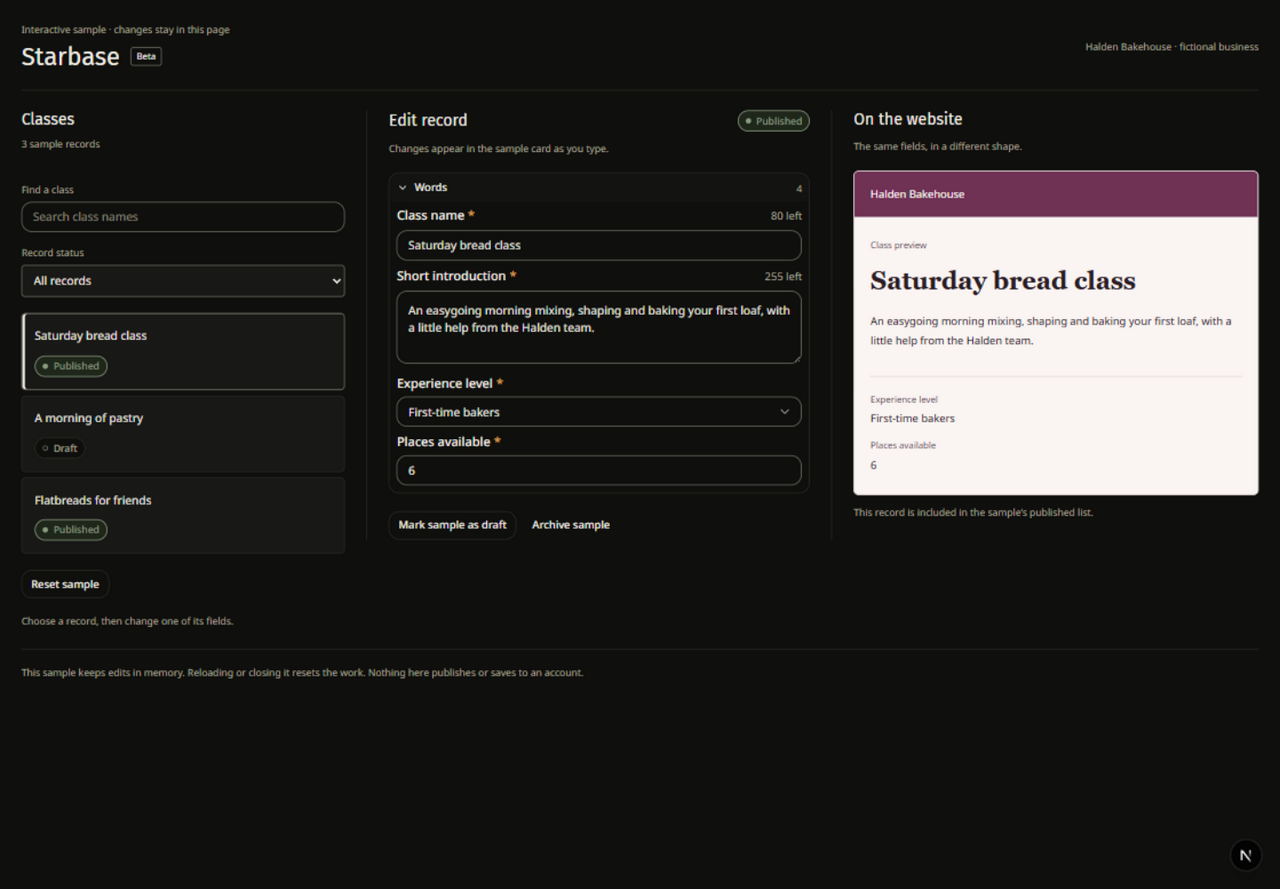
Choose the information to structure
Starbase is a beta tool for collections and records. Use a collection when several items share the same kinds of information, such as a title, image, description or date. Start by identifying those fields before adding many records.
Select the site and create or open the collection. Give fields names that explain their purpose and choose the supported field types that fit the content. Add a small set of representative records first.
Check the record shape
Include a record with short content, one with longer content and one without optional values. This makes it easier to see whether the fields and the eventual page layout can handle real variation.
When you connect collection content to a supported Studio element or page, choose the intended collection and field bindings. Preview more than one record. Keep conditions for missing values understandable; see Layouts and conditions.
Watch the site record allowance
The record limit is a hard total across the site's collections. Draft and archived records count toward that total. Check the current allowance before importing or adding a large number of records.
Collection access and editing follow site permissions. Give people access to the work they need, and review the public result after publishing pages that display the collection.