Change what visitors see
Select text, an image or a button and use the controls for that element. Keep everyday content changes close to the page.
Studio is where you make the website yours. Change the words, arrange the sections and refine the design on a page you can see. Start from a generated draft or work directly with the visual tools.
Real product controls, fictional class content. Try a change here before you create your own site.
Select a block. Change its words, adjust its style or add something new. The preview uses the same block renderers and inspector controls as Studio.
Interactive sample · changes stay in this page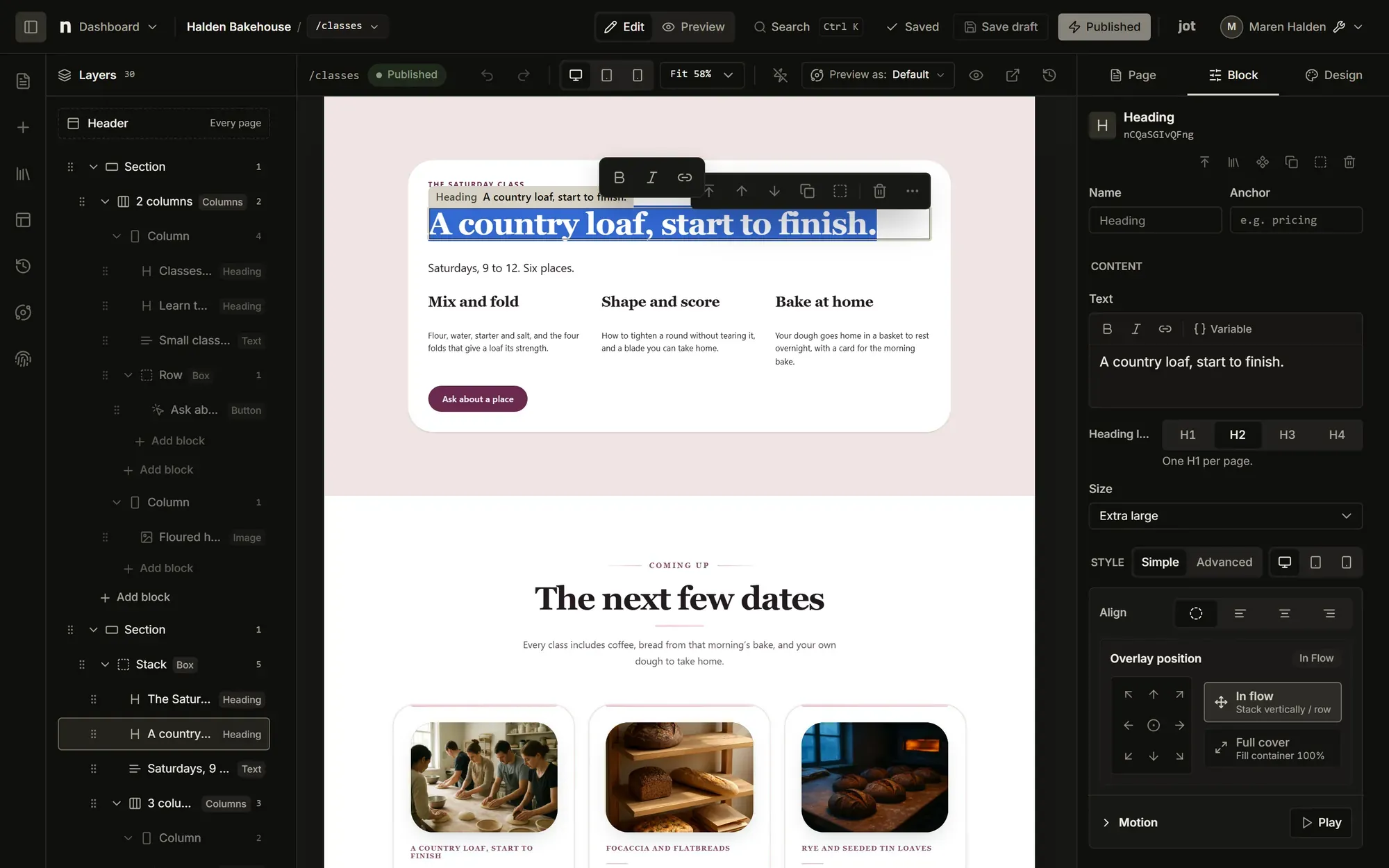
Make a few changes. Undo them. Try something else.
A focused sample of the product. Switching samples or closing resets your changes. Publishing, uploads and account tools are available in your own workspace.
Workflow example
Editing and publishing are separate steps, so you can inspect the result before visitors see it.
Open the page and choose the element you want to change.
Adjust its content, layout or appearance in the inspector.
Check the saved page at different widths and follow its links.
Publish the reviewed changes when you have publishing access.
Select text, an image or a button and use the controls for that element. Keep everyday content changes close to the page.
Work with themes, navigation and reusable blocks so a design decision can carry across more than one page.
Preview phone, tablet and desktop layouts. Use conditions and page interactions when a section needs to behave differently.
Current availability and allowances for the tools on this page. Your account’s billing view has the terms for your subscription.
Edit responsive pages, themes, navigation and reusable blocks in Studio.
Use your own identity; eligible paid sites can remove the nith footer credit.
When you’re ready to try it